
How Airbnb Managers Handle Guest Communication 24/7
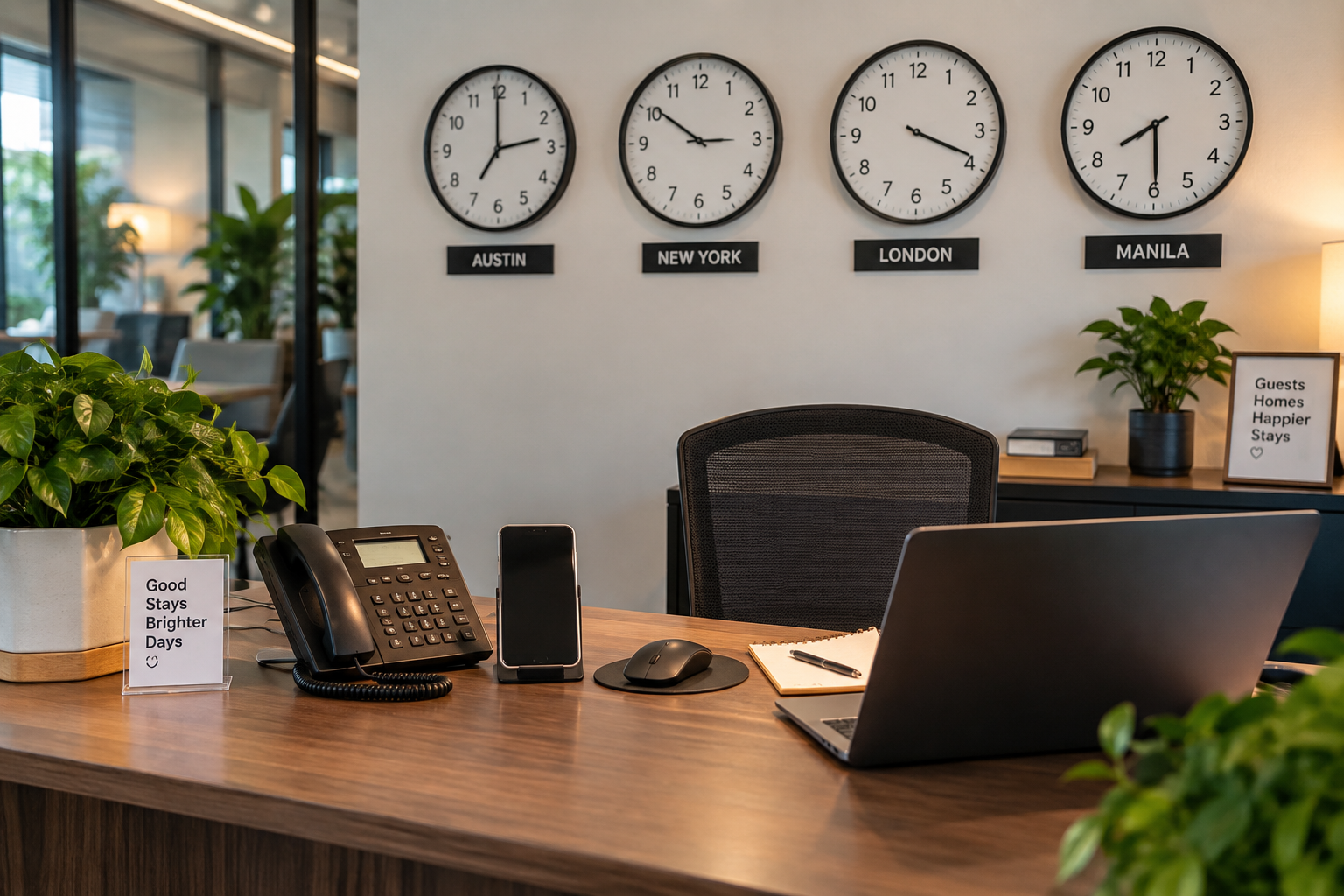
“Fast, reliable communication helps create smoother stays and happier guests, no matter the hour”
It's 11:47 p.m. A guest is standing on your porch and the smart lock won't take their code. Another guest wants to know if the Wi-Fi is down. A third is asking for early check-in tomorrow. And a traveler in another time zone just sent a booking inquiry you won't see until morning.
That is what Airbnb guest communication looks like in a real short-term rental business. Messages don't arrive between 9 and 5, and the ones that matter most tend to land at the worst possible time.
Professional managers don't solve this by staring at an inbox all night. They build a system that answers the predictable questions automatically, gets a human on the unpredictable ones fast, and connects that human to the people who can actually fix the property. This post walks through how that system works, what happens when things go wrong at 2 a.m., and how to tell when it's time to hand the inbox to someone else.
Airbnb's floor is a reply within 24 hours; its own guidance says urgent issues (like a lockout) should get a response within an hour. Professional managers target minutes, not hours.
Round-the-clock coverage is a system, not a night shift: scheduled messages, editable templates, a single source of truth per property, human triage, and pre-written escalation rules.
Response speed is worthless if nothing happens after the reply. Guest communication only works when it's wired to cleaning, maintenance, and local response.
Outsourcing makes sense when the owner becomes the single point of failure. Compare providers on what happens after the message, not just who answers it.
Why 24/7 Airbnb Guest Communication Matters

“24/7 communication is essential because guests may need immediate support at any hour, and fast responses help prevent small issues from becoming bigger problems”
Guest messaging isn't a customer-service side task. It's the front door to every other operation in the property. A message about a lock is an access problem. A message about dirty sheets is a cleaning dispatch. A message about a hot bedroom is either a thermostat tutorial or an HVAC call.
Fast replies matter, but the real goal is getting the right problem to the right person quickly enough to produce a fix.
What Airbnb expects from hosts
Airbnb sets a hard floor and a softer target:
The floor: respond to new inquiries and reservation requests within 24 hours. Late replies lower your response rate, which Airbnb says can affect your position in search results. Superhost status requires replying to at least 90% of new messages within 24 hours.
The target: Airbnb's current hosting guidance says non-urgent questions can reasonably wait up to 12 hours, but urgent issues—its example is a guest who can't get inside—should get a response within an hour. It also recommends lining up a co-host or backup person for the times you can't respond yourself.
That gap between "24 hours" and "one hour" is the whole point. A guest asking where the extra towels are and a guest locked out at midnight are not the same priority. Professional managers sort messages by urgency instead of working the inbox as one chronological queue.
How Airbnb Managers Keep Guest Communication Covered Around the Clock

“True 24/7 guest communication isn’t just about being available—it’s about having the right system in place to respond, resolve, and support.”
The biggest misconception about a 24/7 Airbnb guest communication service is that someone watches the inbox all night. That's one small piece. The full system has five parts, and they only work together.
1. Automate routine information before the guest has to ask
The best guest message is the one a guest never needs to send.
Booking confirmations, arrival instructions, parking, door codes, Wi-Fi, house rules, checkout reminders, and post-stay thank-yous can all be scheduled. Airbnb's quick replies let you personalize messages with reservation and listing details and schedule them to send automatically. Airbnb recommends scheduling touchpoints at booking confirmation, before check-in, after the first night, before checkout, and after departure. Vrbo and property-management systems like Hostaway support the same trigger-based model.
A practical baseline sequence looks like this:
Trigger What to send Booking confirmed Thank-you, house rules, what to expect next 3 days before check-in Parking map, access instructions, Wi-Fi, local contact number Morning of check-in Door code goes live, checkout time reminder Morning after first night "Everything OK? Reply here if anything needs attention." Evening before checkout Checkout steps (trash, dishes, thermostat, lock) Day after checkout Thank-you and review request
A guest who gets a parking map and a door-code walkthrough three days out is far less likely to message from the curb.
2. Use templates as starting points, not scripts
Good Airbnb message templates make human replies faster without making them robotic. Airbnb's own advice is to keep each quick reply short and on one topic—early check-in, late checkout, directions, sleeping arrangements—and to edit before sending.
The key word is edit. Take early check-in. A template gives you the shape of the answer:
"Thanks for asking! Our standard check-in is 4 p.m. because our cleaning team needs the full window between guests. I'll check tomorrow's schedule and let you know by [time] whether we can get you in earlier."
But whether the answer is yes depends on facts the template can't know: has the previous guest left, is the cleaner done, has the inspection been completed? A fast "yes" to early check-in that turns out to be wrong is worse than a slower, accurate one.
3. Hand off to a human the moment judgment is required
Automation is excellent for information and useless for frustration, broken equipment, unclear facts, or anything that needs someone at the property.
Consider four Wi-Fi and HVAC messages that all land in the same inbox:
"What's the Wi-Fi password?" → template.
"The Wi-Fi is down and I have a work call in 20 minutes." → human troubleshooting, right now.
"The bedroom is hotter than the rest of the house." → thermostat or vent instructions, probably a template plus a follow-up.
"The AC stopped working and it's 86 degrees inside." → technician dispatch.
Same channel, four completely different operational responses. This is why a purely inbox-based solution—a standalone virtual assistant, for example—hits a wall. Someone can monitor messages and answer FAQs, but inbox coverage doesn't come with cleaning dispatch, maintenance coordination, or a person who can drive to the property.
4. Maintain one source of truth for each property
Fast replies become dangerous when the information is wrong. Every property needs a single document (a "property bible") that anyone answering messages can open at 3 a.m.:
Check-in/checkout times and the early/late policy
Parking instructions and any permit rules
Smart-lock procedure and the manual override
Wi-Fi network and password
Thermostat make, model, and quirks
Trash days and where bins go
Appliance guides (especially the ones guests always ask about)
Pet and HOA/community rules
Breaker panel and water-shutoff locations
Approved vendors with after-hours numbers
Property-specific troubleshooting ("If the hot water stops, check the pilot light in the garage closet")
Airbnb encourages a thorough house manual and lets you attach photos and videos to messages after booking, which turns "the shutoff is behind the water heater" into a picture the guest can act on.
The principle: whoever answers the overnight message should have exactly the same information the owner would.
5. Escalate by rule, not by improvisation
Not every message needs the owner. A professional system decides in advance what the support team handles directly, what goes to a vendor, what goes to a cleaner, what needs owner sign-off, and what counts as an emergency.
A simple escalation matrix does most of the work:
Situation First responder Action Owner notified? Wi-Fi, parking, checkout questions Support team Template + follow-up No Early check-in / late checkout Support team Check cleaning status, then answer No Cleanliness complaint Support team → cleaner Clarify, dispatch re-clean, update guest Same day Appliance/HVAC failure Support team → vendor Troubleshoot, dispatch, update guest Same day Lockout Support team → local contact Remote unlock or locksmith within the hour Same day Repair over $[X] Support team → owner Get approval before dispatch Immediately Safety threat, fire, medical Guest → 911 Then Airbnb safety line, then manager coordinates Immediately
Rules like these are what make 24/7 coverage scalable past one or two properties. For owners running several units, that separation between routine decisions and real exceptions is the difference between a system and a second job.
Worth checking: Manage multiple Airbnb listings without burning out
What Happens at Night, During Complaints, and in Emergencies

“Great guest support matters most when problems happen after hours, complaints arise, or emergencies need immediate action.”
The welcome message is not the test. The test is what happens when something goes wrong.
Night messages: cover everything, prioritize ruthlessly
Owners searching for how to handle Airbnb guest messages at night are usually trying to solve one of two problems: they're not sleeping, or they're worried about what they're missing while they do.
The fix is not a blanket "we'll respond in the morning" auto-reply. That message, sent to a guest who can't get in, is a one-star review in progress.
Instead, separate informational messages from stay-affecting ones:
Midnight restaurant recommendation → can wait, or gets a template.
Question about tomorrow's checkout → template.
"My code isn't working" → a human, within minutes.
Airbnb's guidance is explicit: keep notifications on, stay reachable during stays, and arrange backup when you can't respond. Its example of an urgent issue is exactly this scenario—a guest who can't get inside—and it says that deserves a reply within an hour.
The professional approach is coverage plus prioritization. Somebody sees the message, knows the property, identifies the urgency, answers the guest, and starts the operational action. That is also how to improve Airbnb response time without spending every night next to your phone: fix the system before asking the individual host to be faster.
Complaints: acknowledge, clarify, act, update, document
Handling an Airbnb guest complaint takes more than an apology. A workable sequence:
Acknowledge within minutes so the guest knows someone is on it. ("I'm so sorry—thank you for flagging this. I'm looking into it right now.")
Clarify what actually happened. "The house is dirty" could mean a missed trash can, unwashed linens, one bathroom, or a unit that was never turned over. Ask for a photo.
Act. Message the cleaner, dispatch a handyman, walk the guest through the fix, or arrange supplies.
Update the guest with a realistic timeline instead of going quiet while it's being handled. ("Our cleaner can be there at 9:15 a.m. with fresh linens. Does that work?")
Document in the platform thread—messages, photos, timestamps—so there's a record if it turns into a review dispute or damage claim.
Airbnb's guidance for problems during a stay lines up with this: stay calm, be transparent that you're working on it, give a timeline, and communicate with empathy. Its host standards also require hosts or co-hosts to be available for unexpected issues before and during the stay. When an issue involves rule violations or damage, Airbnb recommends keeping communication on the platform and documenting with messages, photos, and any neighbor complaints—one more reason not to let important conversations drift to text or WhatsApp.
Emergencies: you are not emergency services
Handling an Airbnb guest emergency starts with a boundary. If there's a threat to life or safety, the guest calls local emergency services first. Airbnb also provides a 24-hour urgent safety line through its app for crises during a stay.
The manager's job starts after that: shut off water, get a locksmith or electrician moving, relocate the guest if the unit is unlivable, notify the owner, loop in Airbnb, document damage, and keep both the guest and the contractor updated until it's resolved.
Austin owners have a regulatory reason to take this seriously. The City of Austin requires STR operators who don't live in the Austin metro area (Travis, Williamson, Hays, Bastrop, or Caldwell County) to designate a local contact who can respond within two hours of being notified of an emergency, at any hour. Changes to that contact must be reported to the city in writing within three business days. Confirm your specific obligations with the city or qualified counsel, but for many out-of-area owners, 24/7 coverage isn't just a guest-experience question—it's a license condition.
Worth Checking: Austin short-term rental requirements
Guest Communication Only Works When Turnover Works
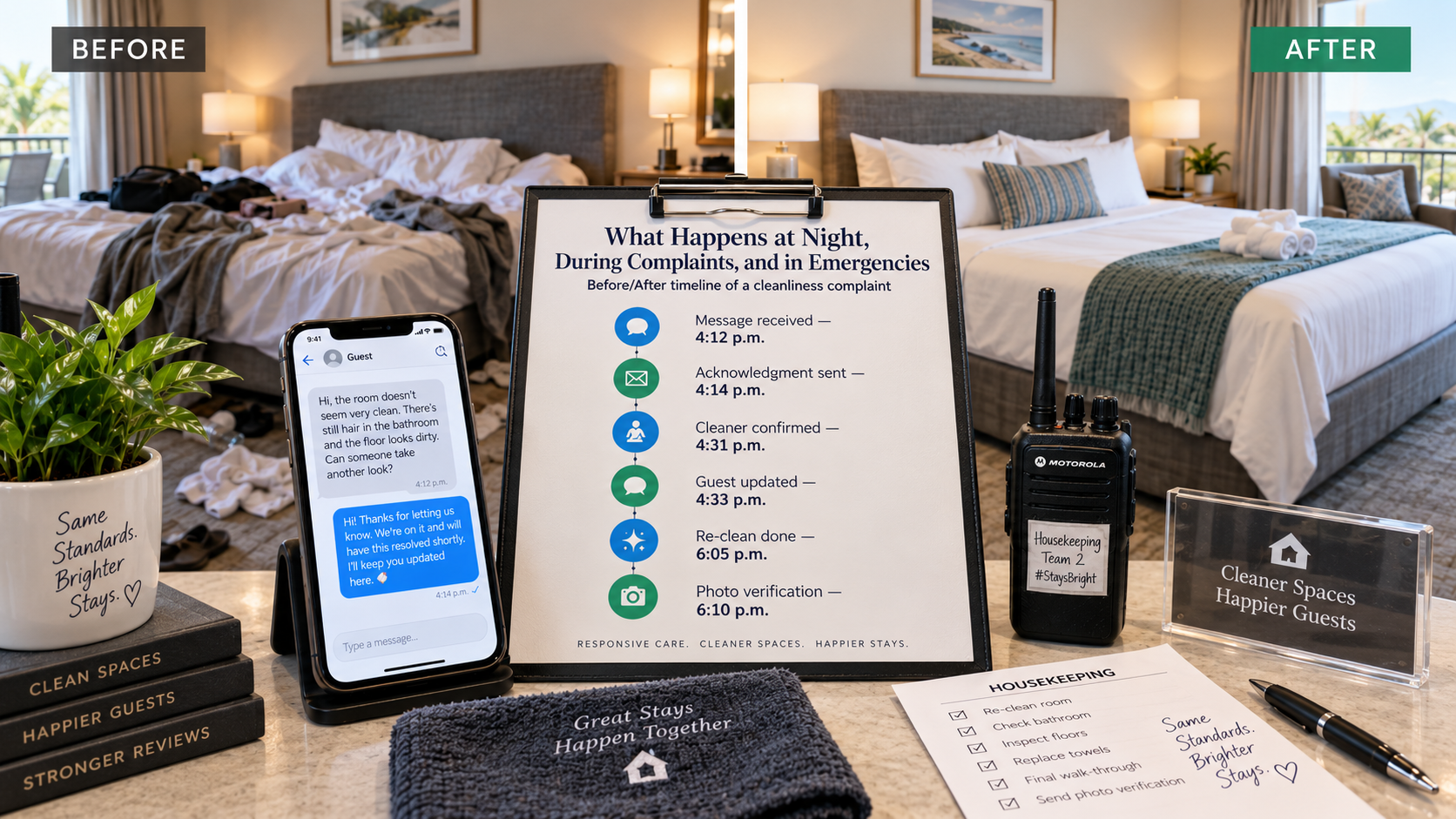
“Fast response, clear updates, and verified resolution turn a cleanliness complaint into a smoother guest experience.”
Here is the trap: treating communication quality as an inbox problem.
A guest opens the door and finds dirty sheets. The manager replies in two minutes. That's excellent response time and a terrible guest experience.
The question that matters is what happens next. Someone has to reach the cleaning team. Someone has to find out whether a cleaner can come back tonight. Someone may need to source replacement linens. Someone has to tell the guest a real timeline. Someone has to confirm the fix actually happened.
Airbnb's host ground rules tie these disciplines together. Hosts who earn strong reviews focus on accurate listings, honoring reservations, timely communication, and cleanliness—and Airbnb requires homes to be cleaned between every stay. Communication and turnover aren't separate departments in a guest's mind. A missed clean is a communication failure the moment the guest has to report it.
That's why STR turnover cleaning is a different job than residential housekeeping. It has a deadline attached to it, and the next guest is already on the way. The operational pieces—scheduling, photo or video inspection before the next arrival, a backup cleaner for no-shows, restocking, and a fast line back to the support team when a cleaner finds damage—are what let a two-minute reply turn into a two-hour fix.
Worth checking: Airbnb amenities and reviews
When to Outsource Airbnb Guest Communication
There is nothing wrong with self-managing messages. For one property with a highly available owner, a clear house manual, and reliable cleaners, it works fine.
The problem starts when the owner becomes the single point of failure:
You're in a meeting and a guest can't get inside.
You're on a flight and the cleaner cancels.
You're asleep and the water heater fails.
You're at dinner answering parking questions.
You hire someone to watch the inbox, and every time something actually breaks, they have to call you for instructions.
At that point the question isn't "How do I answer faster?" It's "Who is actually operating this property?" That is the moment to outsource Airbnb guest communication—and there are three ways to do it.
Airbnb virtual assistant services solve inbox workload. They fit owners who already have excellent cleaners, maintenance contacts, written SOPs, escalation rules, and someone local. If any of those are missing, the VA will spend most of their time asking you what to do.
Co-hosting goes further. Airbnb lets co-hosts with calendar-and-messaging access answer guests directly, and full-access co-hosts can also manage reservations and other listing functions. What the co-host can do beyond the inbox depends entirely on the organization behind them.
Full operations management connects messaging to cleaning, maintenance, vendors, pricing, and local response, so the person answering the guest can also move the problem toward a fix.
Whichever route you take, compare providers on what happens after the message:
Who handles the lockout?
Who coordinates the cleaner, and who covers a no-show?
Who gets the HVAC technician out, and who approves the cost?
Who verifies the turnover was done correctly?
Who keeps the guest updated while the fix is in progress?
Who covers overnight, and who covers when that person is unavailable?
Who documents the incident?
Those answers tell you whether you're buying inbox labor or an operating system.
Worth checking: What an Airbnb property manager actually does
Worth checking: Signs you need help managing your Airbnb
Where STR Management Co Fits
We built STR Management Co around the third model, because as owners ourselves we'd already tried the first two.
Our service is flat-fee, white-label, and month-to-month: $595 per property per month, plus a one-time $595 onboarding fee, with no commission and no long-term contract. You keep your listings, reviews, platform accounts, guest relationships, and brand. We work behind them.
What's included in that fee:
Human-driven guest support 24/7, with a response target of under three minutes
Cleaning and quality-inspection scheduling, with cleans confirmed and inspected by photo or video before the next arrival
Repair and maintenance scheduling with backup vendor coverage, at cost with no markup
Dynamic pricing, multi-platform distribution, and ongoing listing updates
Review management and dispute support when eligible
STR regulation and permit guidance, property-security oversight, and AI guest identity verification
You can keep your preferred cleaners and vendors; we coordinate the logistics. For Austin owners who need a designated local contact under the city's two-hour rule, that's part of the conversation we have during onboarding.
We currently support more than 90 properties nationwide representing over $4 million in annual booking revenue. Those are our own operating figures, not third-party statistics—but they're what let us staff real overnight coverage at a flat fee instead of a percentage.
FAQs
How do Airbnb managers communicate with guests 24/7? By combining scheduled messages, editable templates, a single property information document, round-the-clock human coverage, and pre-written escalation rules. Airbnb supports scheduled quick replies natively, and co-hosts with messaging permissions can answer guests inside the listing. The human layer only works if it's connected to cleaners, vendors, and someone local.
Should Airbnb guest communication be fully automated? No. Automated messages are ideal for predictable communication—confirmations, check-in details, Wi-Fi, checkout reminders. Complaints, access failures, maintenance problems, safety concerns, and frustrated guests need human judgment, and Airbnb's own guidance emphasizes availability, empathy, and progress updates when something goes wrong.
How quickly should an Airbnb host respond? Airbnb requires a reply to new inquiries and reservation requests within 24 hours to protect your response rate, and 90% within 24 hours for Superhost status. Its hosting guidance sets a higher bar during stays: within 12 hours for non-urgent questions and within an hour for urgent issues like a lockout. Professional managers typically target minutes.
Can a co-host answer Airbnb guest messages for me? Yes. Co-hosts with calendar-and-messaging access can message guests and view reservation details. Full-access co-hosts can also manage reservations and other listing functions. The listing, reviews, and account stay under your name.
What should happen when a guest reports a cleaning problem after check-in? Acknowledge within minutes, clarify exactly what's wrong (ask for a photo), dispatch the cleaner or arrange supplies, give the guest a realistic timeline, and document the resolution in the platform thread.
Does an Austin Airbnb need a local emergency contact? If the operator doesn't live in the Austin metro area, yes. The city requires a designated local contact who can respond within two hours of an emergency notification, at any time, with contact changes reported in writing within three business days. Check current city requirements for your specific license type.
Stop Sleeping With Your Phone
Good Airbnb guest communication doesn't come from answering faster. It comes from automating the repetition, putting a human behind the exceptions, and connecting that human to the people who can actually fix the property.
If you're still the only person who can answer the 2 a.m. lockout, that's the system telling you it's time to change it.
Book a free call with us to walk through how 24/7 guest support, cleaning coordination, and maintenance scheduling would work for your property. Try us for 30 days—if it isn't the right fit, we revert everything back at no cost.
